

Now Accepting New Patients! No waitlist!
We are excited to welcome new patients to our clinic. You can now register as a new patient and book your first appointment right away.
Simply complete our New Patient Registration Form to get started.
If you encounter any issues, please email us at info@malvernmedical.ca
How to create your patient profile and book your first appointment with the doctor

Step 1: Start Registration Form
Click the New Patient Registration button above and complete the form with your name, date of birth, email address, and health card information.
Note: For IFH patients, after completing the form, please email a copy of your IFH document showing the UCI number to info@malvernmedical.ca.
_jfif.jpg)
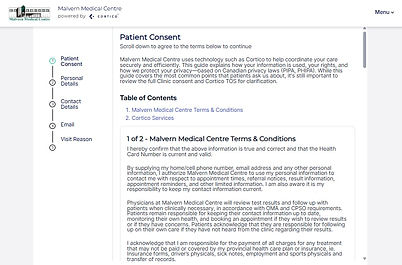
Step 2: Consent & Terms
Review and accept the patient consent and Malvern Medical Centre’s terms and conditions.
_jfif.jpg)
Step 3: Verify Personal Information
Verify your personal information.
_jfif.jpg)
Step 4: Contact Details
Complete the contact information section. Please ensure your phone number and email address are accurate and up to date.

Step 5: Patient Information & Doctor Selection
Fill out the patient information form to provide an overview for the doctor. You may select your preferred physician.
If you have no preference, we will match you with the next available doctor.

Step 6: Registration Confirmation
Once completed, your registration will automatically create your chart in our system.
We will send you an email with a booking link and the details of the physician you have been matched with.
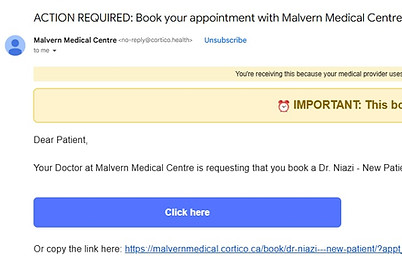
Step 7: Book Your Appointment (Cortico Link)
You will receive an email from Cortico, our secure platform for appointments and medical documents.
Please use this link to book your first appointment.
Note: If you encounter any issues or would like to request a change to the doctor you were matched with, please email info@malvernmedical.ca.
Please be advised that once you have signed the enrollment form during your first appointment,
we are no longer able to switch you to another doctor within the clinic.